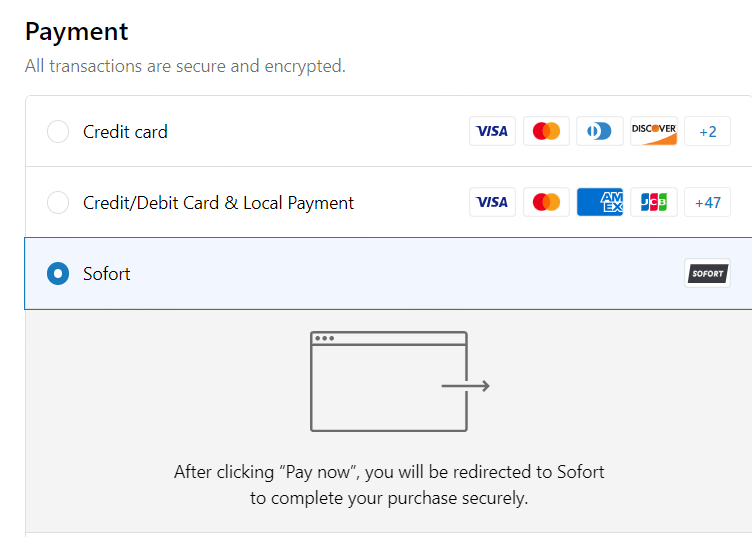
Sofort
Sofort Payment Method Installation Steps
Step 1. Currency Check
Check installation conditions, currency must be EUR.
Currency check path: 【Store details】-->【store currency】-->【EUR】
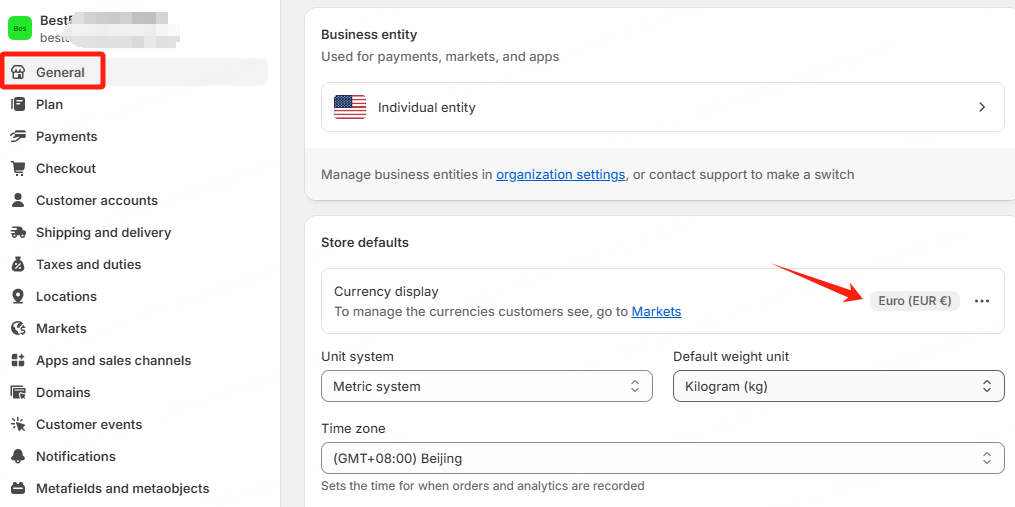
Step 2. Search APP
Click this link (https://apps.shopify.com/sofort-pingpongcheckout) to install APP.
Note
Please install via the specified link, do not search directly in Shopify App Store.
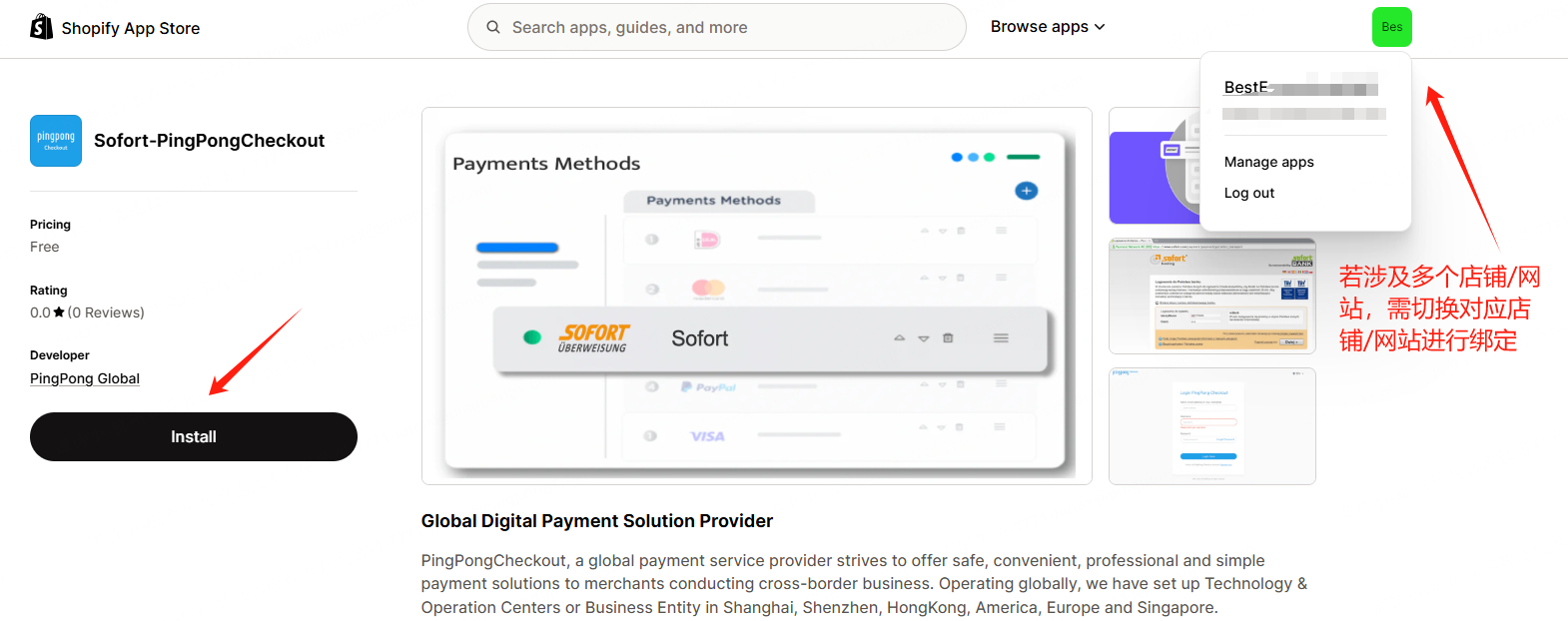
Step 3. Install APP
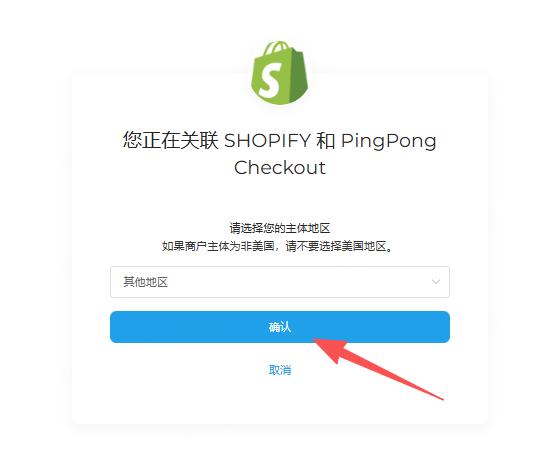
Click【Install】-->【Link SHOPIFY and PingPong Checkout】-->Select【Registration Entity】-->【Confirm】
Note
Please select the entity region according to the **company entity registered in PingPong Checkout, otherwise it will affect binding. Other entities refer to entities other than US entity, such as HK/SG, etc.
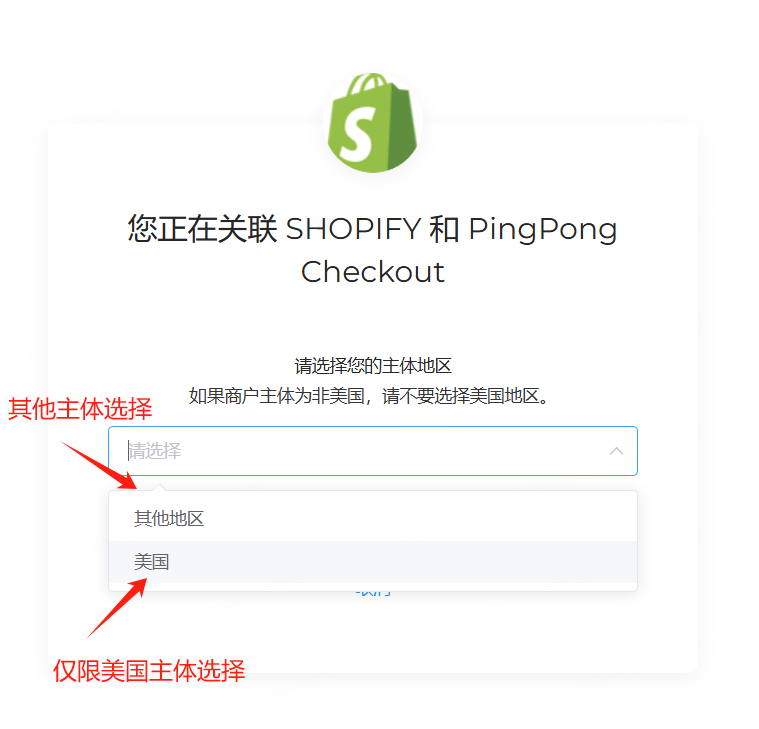
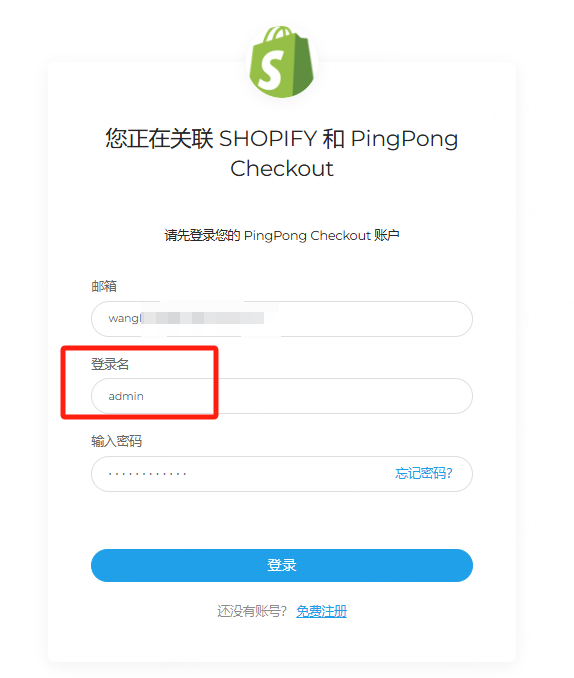
Please log in using your administrator email and password from registration.
Default login name: admin
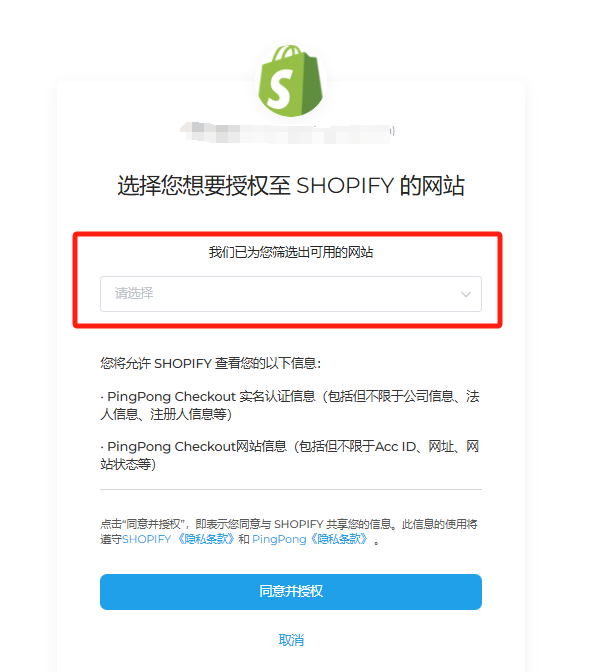
Step 4. Select Binding Website
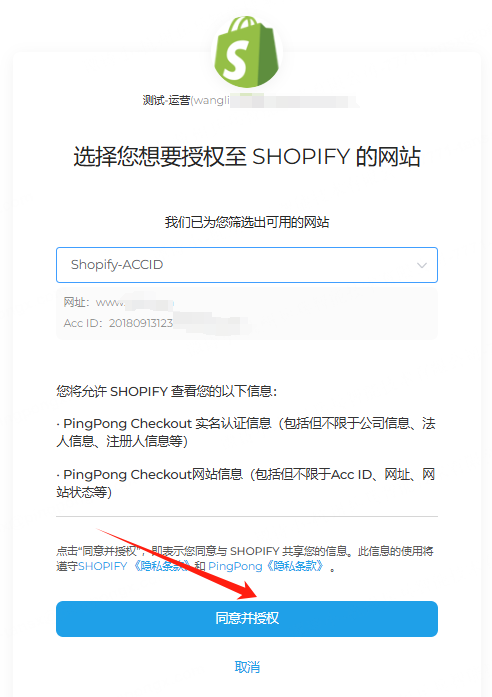
Select the website you want to bind-->click【Agree and Authorize】, it will automatically redirect to Shopify page.
Note
Currently the system does not support batch binding of multiple websites, each needs to be operated individually.
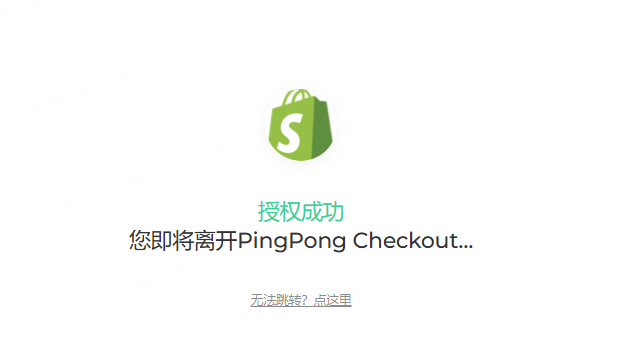
Step 5. Installation Success
After successful installation, this APP will appear in【Payments】in Shopify backend, and the payment method will also appear at checkout.
Note
Do not check Test mode, otherwise it will submit to test environment.
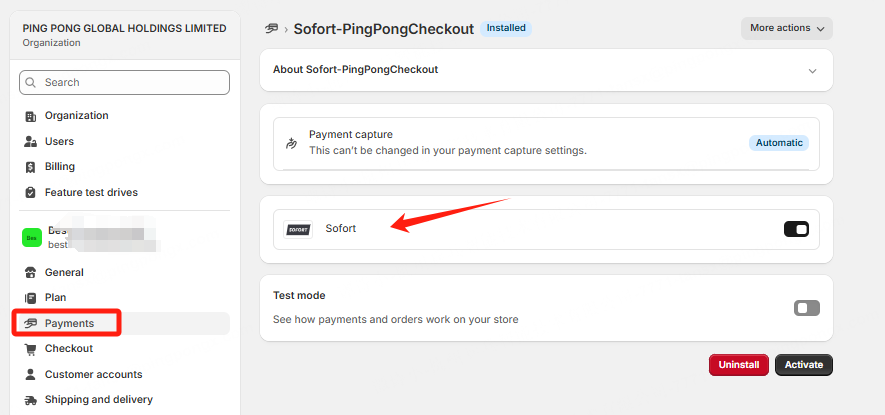
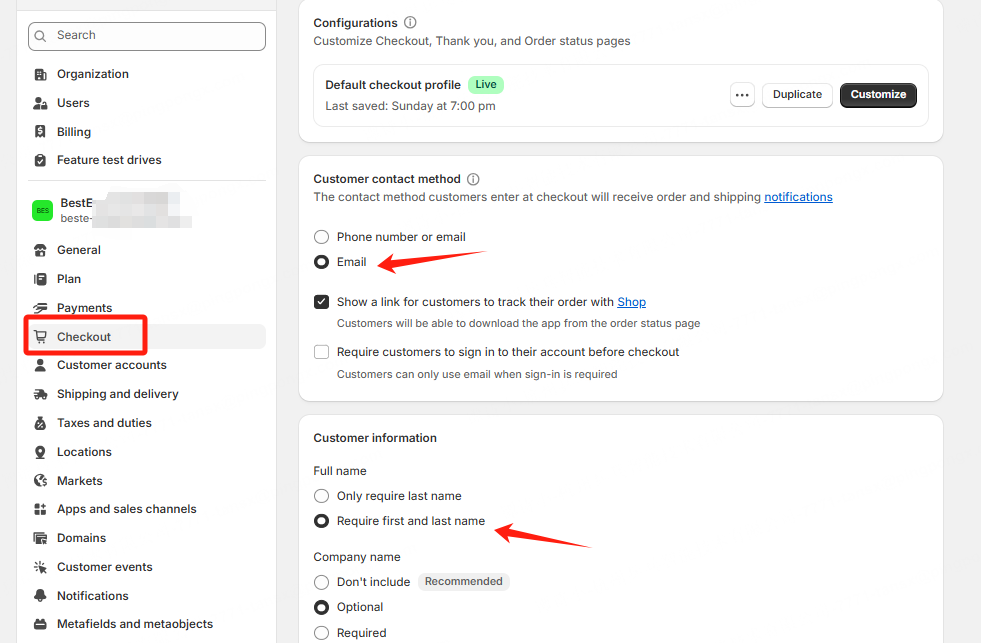
Step 6. Set Required Fields
Set Email and name as required fields, otherwise it will affect transaction success, need to set according to following screenshot.
Step 7. Installation Success
After successful installation, your merchant backend and checkout will display the corresponding payment icon/entry.