
Dynamic 3D Secure
3D Secure is a security protocol used to verify online transactions and prevent fraud in e-commerce. It requires cardholders to enter a password or one-time code before completing a transaction, thereby adding an additional security layer to the payment process. When your website or mobile application supports 3D Secure, the PingPongCheckout request for sending payments will determine whether the payment goes through 3D Secure authentication.
3D Secure Authentication Process
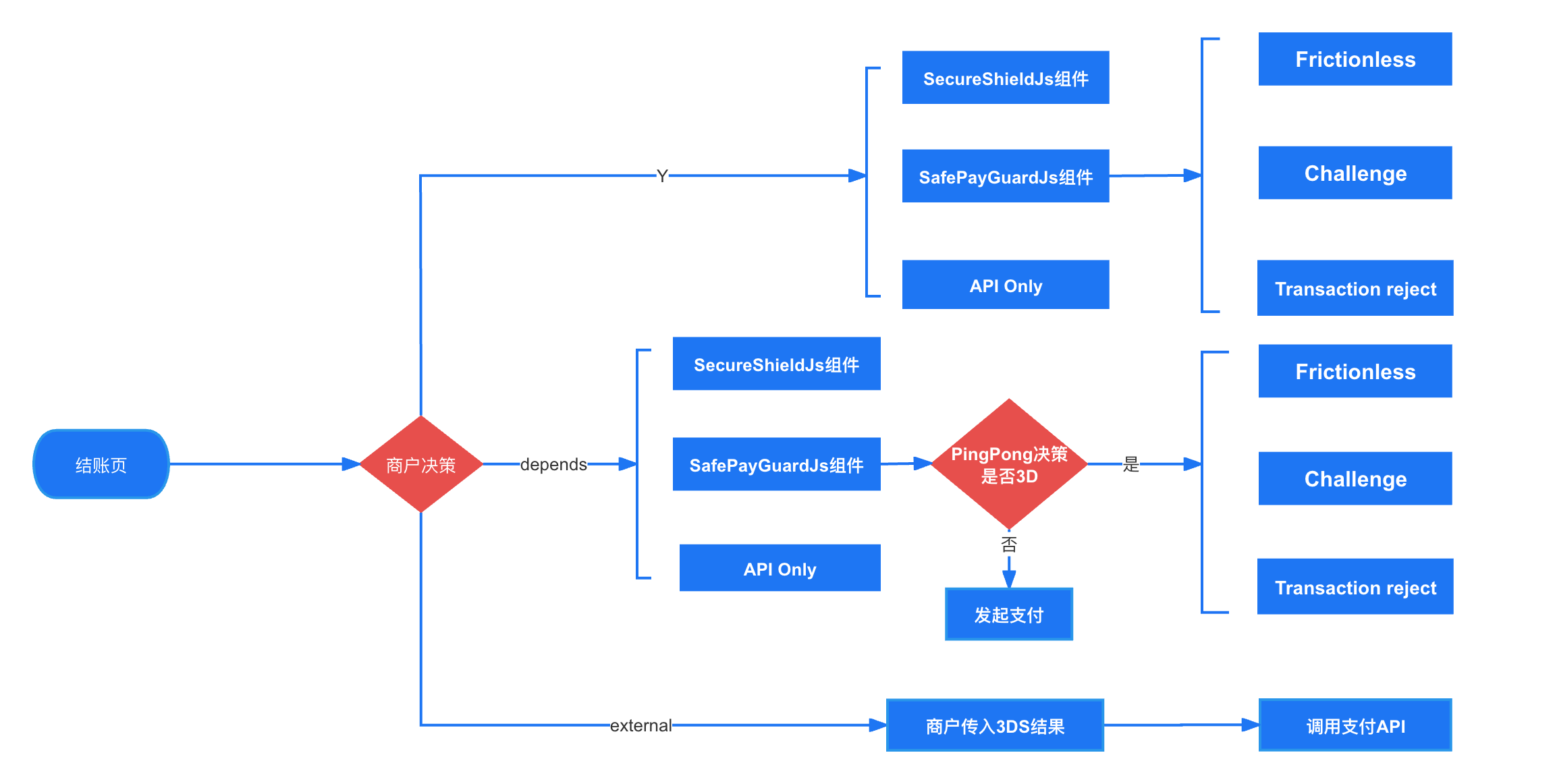
Frictionless
In the Frictionless process, buyers, issuers, and card schemes exchange all necessary information in the background using the shopper's device fingerprint for passive authentication. The transaction is completed without further shopper interaction.

Challenge
In the Challenge process, the bank or payment processor automatically creates a 3D challenge page for the cardholder, requiring additional interaction from the shopper. The issuing bank ensures transaction security through biometric identification, two-factor authentication, or similar methods based on SCA authentication factors. Once the cardholder completes the authentication steps on the 3D challenge page, their identity will be verified, and the bank or payment processor can decide whether to approve the transaction.

Default 3D Security Rules
Generally, PingPongCheckout provides default 3D security rules, and the PingPongCheckout risk control engine will decide whether the current transaction needs to enable 3DS authentication.
| Strategy | Description | 3DS Component Integration | Additional Requirements |
|---|---|---|---|
| Every Transaction 3D | 3D Secure always enabled |  | |
| Intelligent Decision | Smart decision based on cardholder behavior characteristics | Hosted: Non-Hosted:  | customer.email |
Merchant Autonomous Decision
If PingPong's default rules cannot meet your custom requirements, PingPongCheckout provides the capability for merchant autonomous decision.
You can decide whether to enable 3DS authentication through the executeThreeD parameter in the API according to your own business scenarios.
Note
Whether it can be enabled needs to be evaluated based on merchant risk situation and chargeback performance. If needed, you can contact technical support to enable the configuration.
| executeThreeD | Cashier Support | End-to-End Mode Support | Description |
|---|---|---|---|
| Y | | | Force 3DS verification and use PingPongCheckout's 3DS. |
| depends | | | Whether to perform 3DS verification is decided by PingPongCheckout's risk control decision. |
| external | | | 3DS verification is required, performed by the merchant, and the 3DS result is submitted to PingPongCheckout for execution. |
3DS Integration Solutions
3DS Service Integration
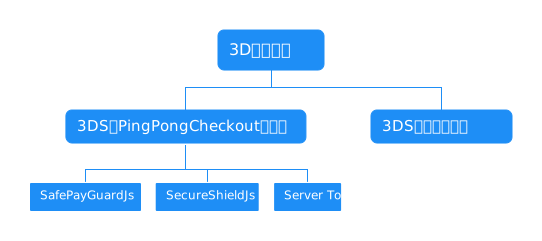
If you have not yet integrated with 3DS services, you can use the 3DS services provided by PingPongCheckout. PingPongCheckout offers the following integration solutions:
| Integration Solution | Hosted Integration Required | Non-Hosted Integration Required | Risk Control | 3DS | Notes |
|---|---|---|---|---|---|
| SafePayGuardJs Component | | | | | Can be integrated |
| RiskDefense Component | | | | | Not recommended, solution has been removed |
| SecureShieldJs Component | | | | | Can be integrated |
| Server To Server | | | | | Can be integrated |
SafePayGuardJs is a risk control plugin for payment processes, including fraud prevention, fund security protection, and user experience enhancement.
Provides 3DS services and browser information collection.
Simple 3DS integration through API without using components, requires merchants to have their own risk control capabilities.
Merchant Self-Upload 3DS Results
If you have already integrated with 3DS services and can independently generate 3DS results, you can choose to have the merchant upload 3DS results themselves.
See details at 3DS external