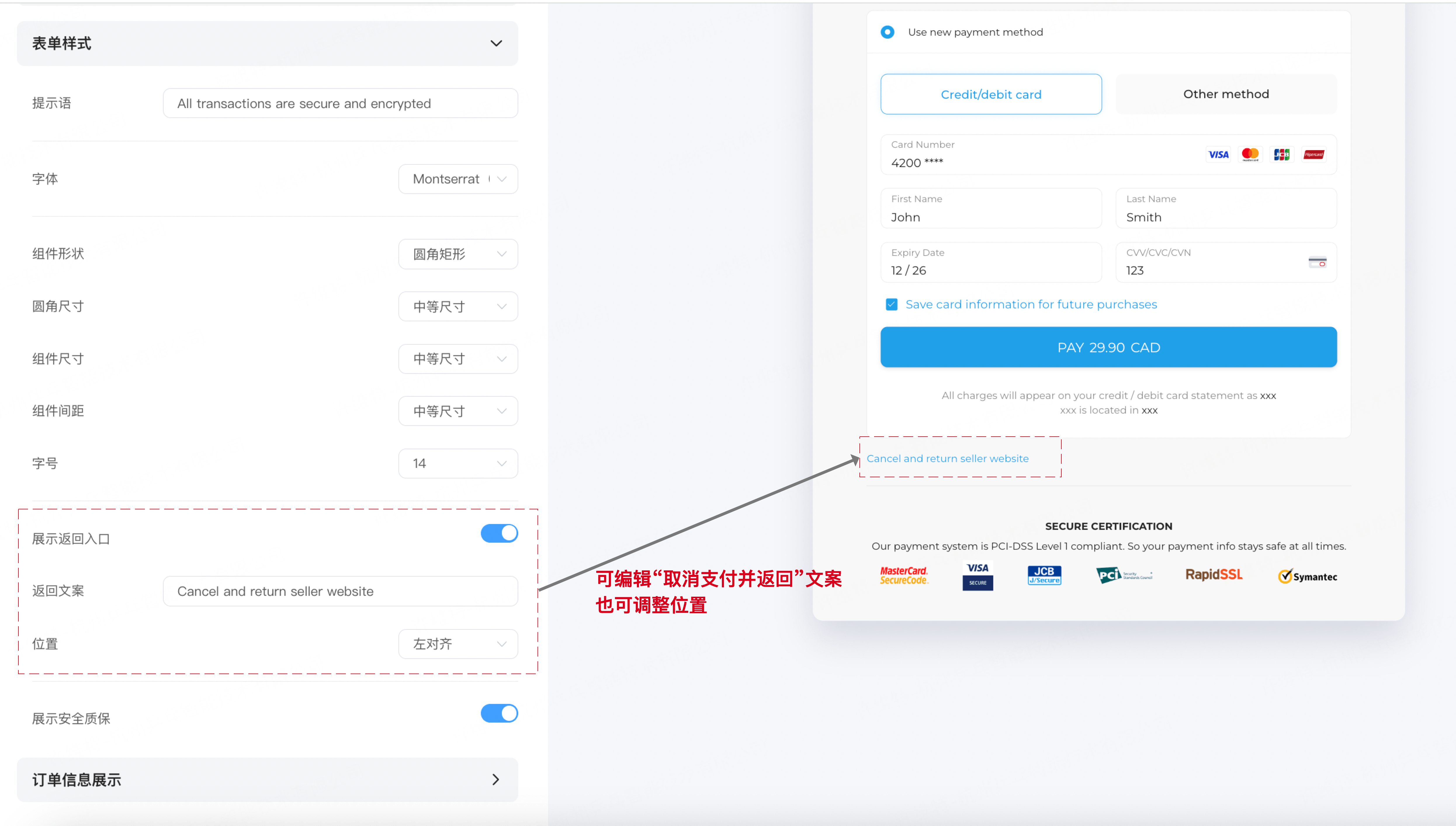
Custom Checkout
Custom Checkout
Applicable scenarios: E-commerce/virtual merchants with brand style requirements; or other small and medium-sized merchants with style requirements for checkout pages/ embedded checkouts.
Effect: Significantly improve user experience, from product browsing-ordering-payment Unify the overall process interaction style, to some extent improve conversion rate.
Limitations: Not supported for merchants who have already used API to define checkout styles, not supported for merchants who have customized personalized checkouts. Does not support modifying styles for Shopify embedded checkout.
Timing: Real-time effect
Advantages: Can set different checkout styles for different websites. Rich granularity including colors, styles, font sizes, etc.
Operation Process
Step 2.1 Open top navigation bar
Open top navigation bar Website Management---Website Management
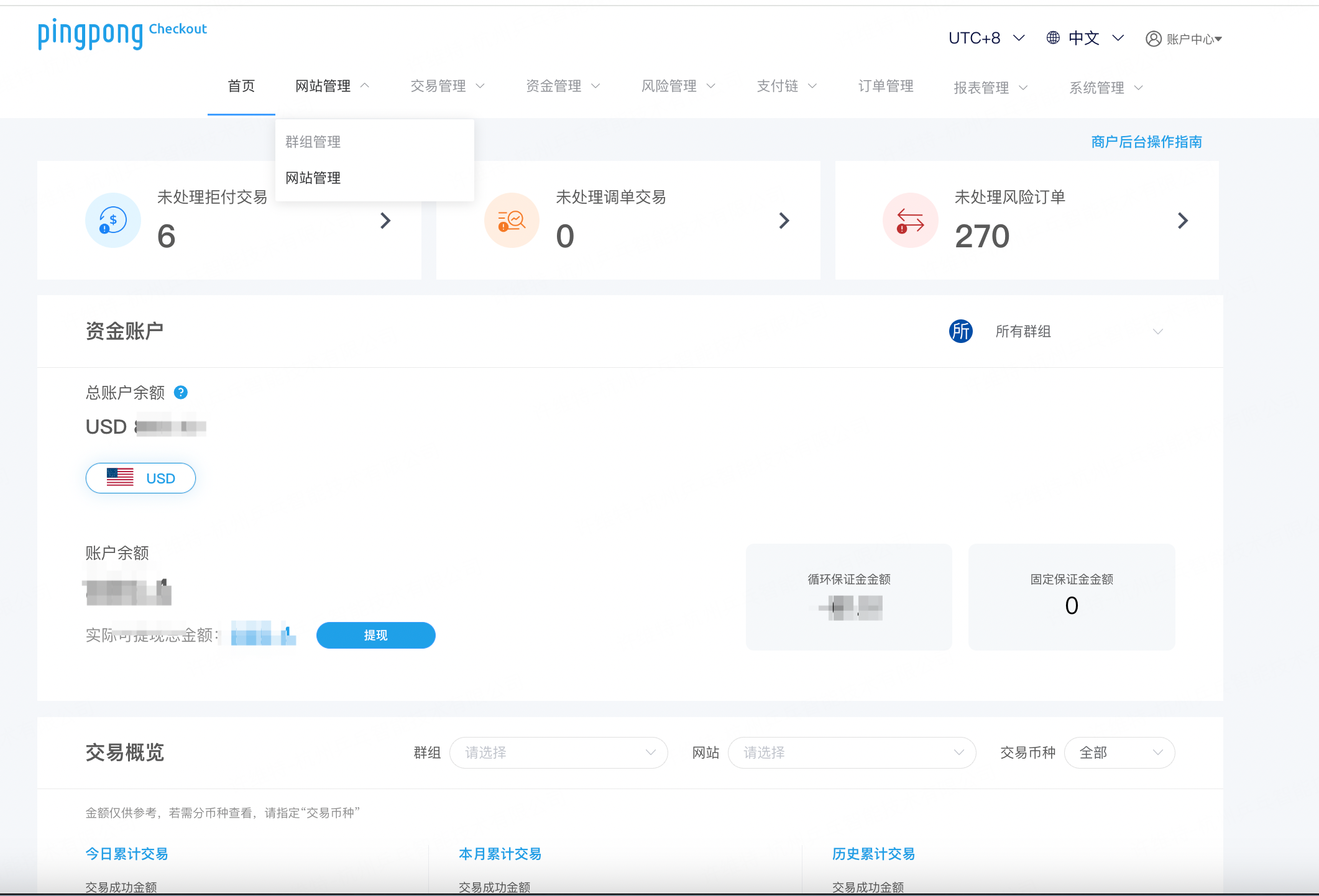
Step 2.2 Select Website
Locate the website that has completed review, click the "More" button on the right------"Edit Checkout Style" 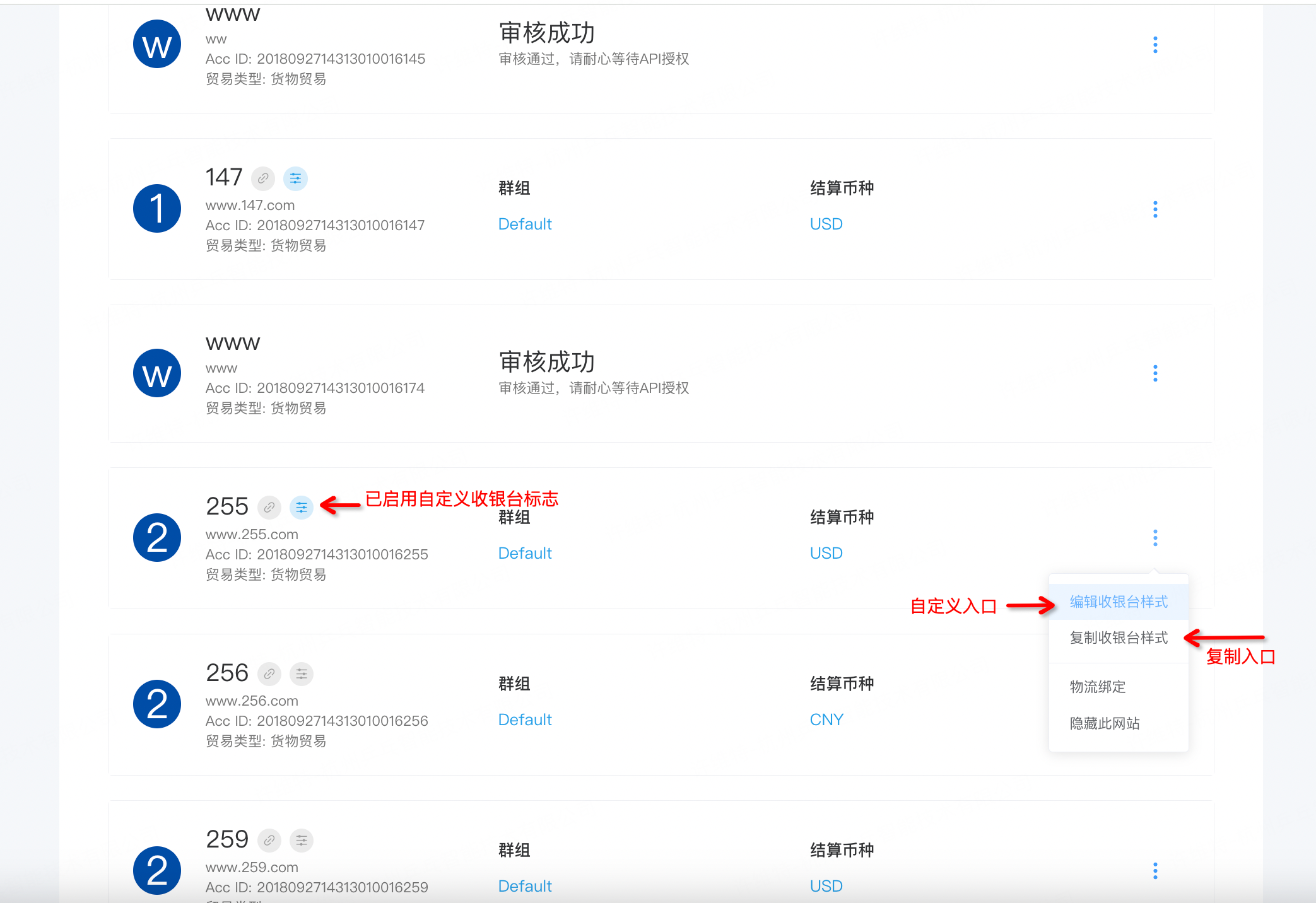
Step 2.3 Edit Web Page Tab (Optional)
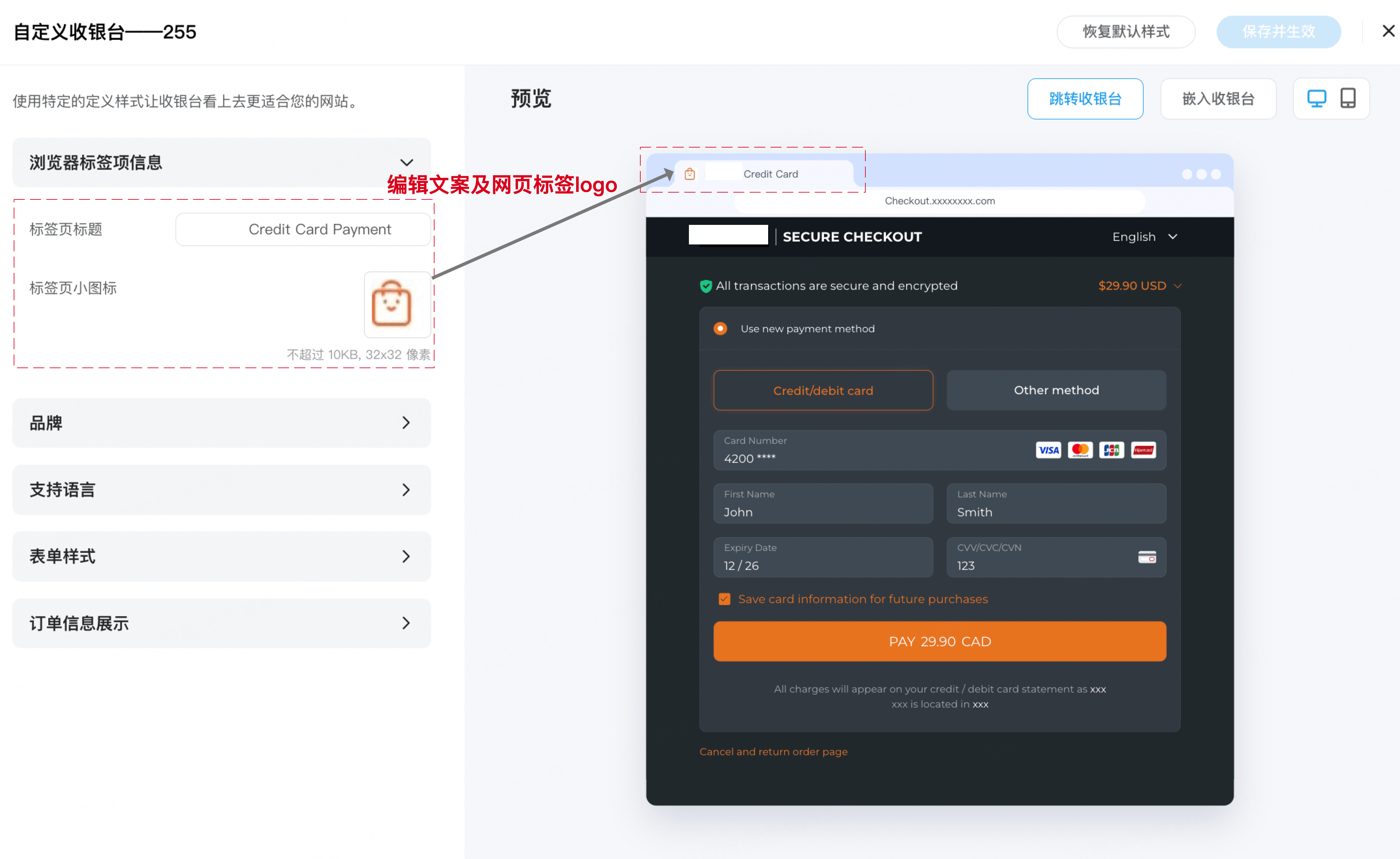
Step 2.4 Set Style (Optional)
Select appearance style and upload brand logo background color
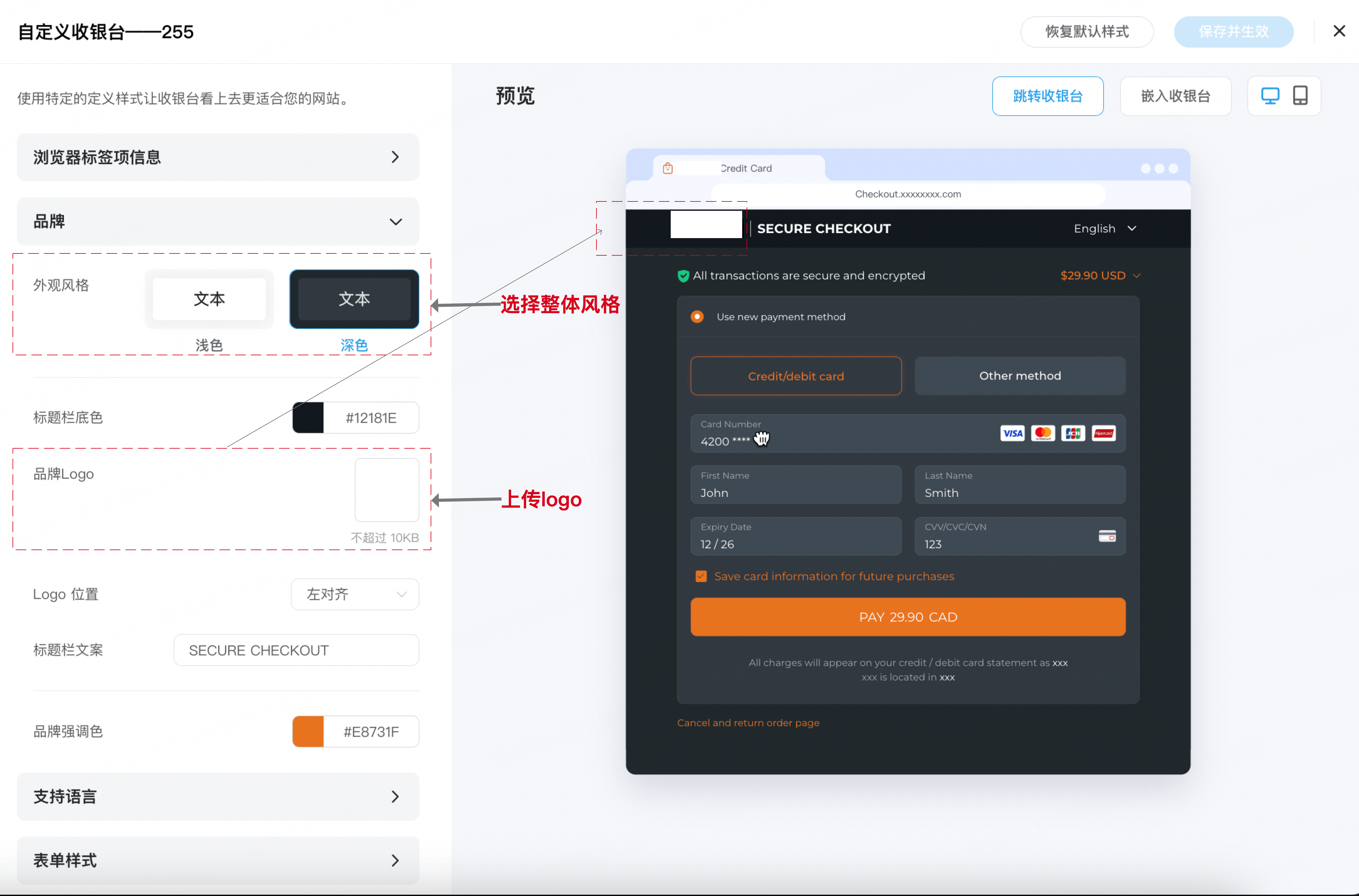
Step 2.5 Select Tab Bar Background Color (Optional)
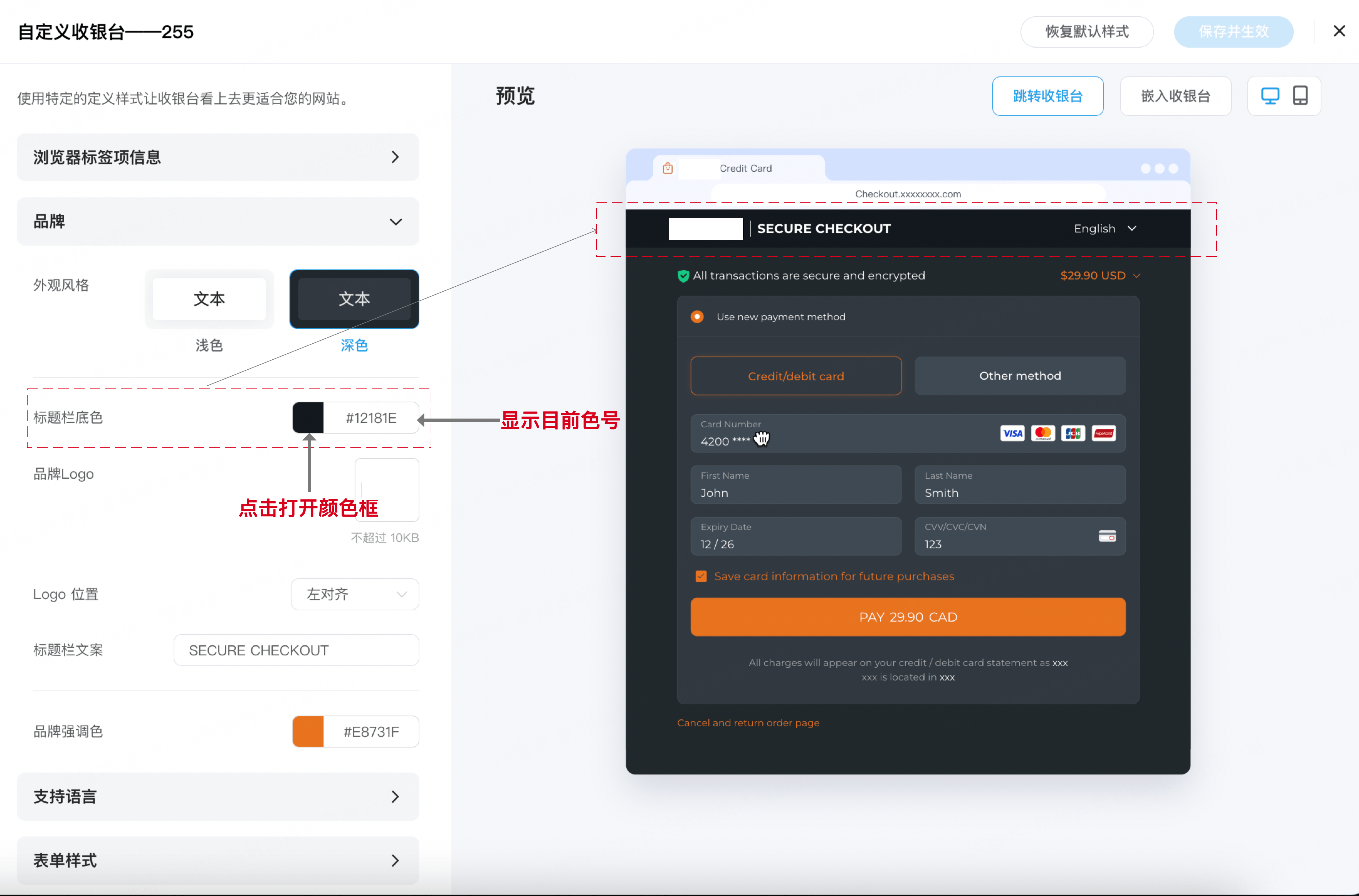
Step 2.6 Select Tab Bar Background Color (Optional)
Recommended not to modify.