
Overview
dispute API
If you plan to handle dispute cases from your server side, this page provides both the integration flow and quick API entry points.
Scope
- This page keeps the dispute-handling flow and entry order.
- For request fields, examples, and response structures, use the dedicated API detail pages.
- For callback event meanings and webhook handling, see Dispute Notification Integration Guide.
To help you quickly manage disputes, we provide the dispute API. These APIs let you automate the dispute-handling process and respond as soon as a case is initiated.
Quick API Entry
- Get Retrieval Details
- Get Chargeback/Dispute Details
- Query Defense Materials
- Upload Dispute File
- Upload Defense Document
- Delete Defense Document
- Submit Defense
- Accept Dispute
dispute API Processing Flow
Chargeback Process
When retrieval occurs, the issuer requests additional transaction information. At this stage, no funds are withdrawn from your account, so it is recommended that you handle the case actively.
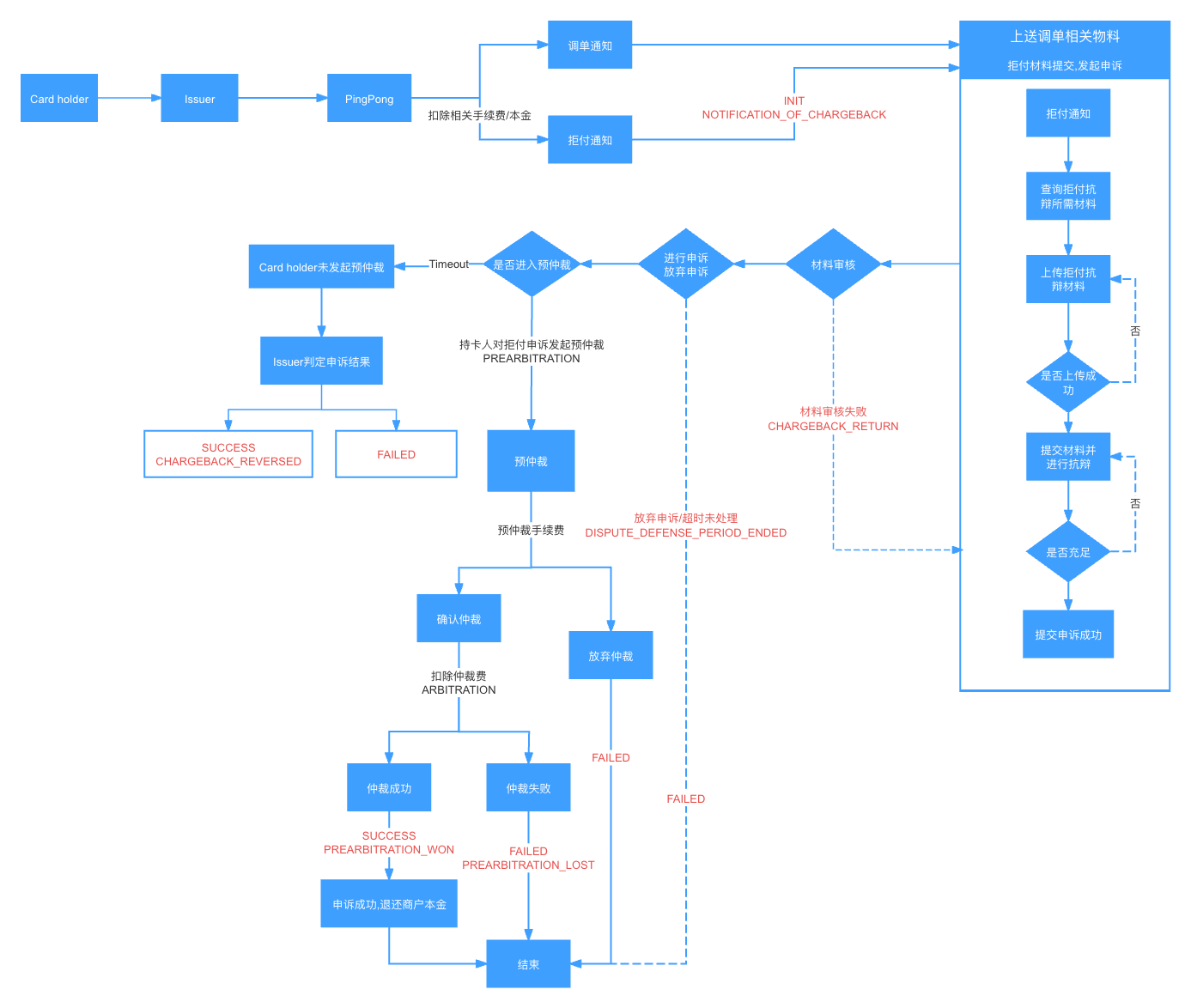
Overall Process Flow
When using the dispute API, the usual handling order is:
- First receive dispute notifications and use the
eventCodein the Dispute Notification Integration Guide to determine the current case stage. - Then query case details and available defense information, for example by calling Query Defense Materials.
- If you decide to defend the case, continue with evidence upload, evidence correction, and final submission.
Optional actions:
- If you do not plan to continue defending the case, you can directly Accept Dispute.
- Before final submission, you can Upload Dispute File, Upload Defense Document, and if needed Delete Defense Document.
- Once the materials are ready, call Submit Defense to complete the case action.