
Platform Account Registration
Platform Account Registration
Account Registration
Before using the platform's services, you need to register an account first. Please follow the steps below to register:
- Visit PingPongCheckout Register and open the registration page in your browser.
- Enter your name, email address, mobile phone number and other information, then click the register button.
- The system will send a verification email to your mailbox. Please click the link in the email to complete the registration.
- After successful registration, you will be automatically logged into the platform homepage. See details in Registration Process
Account Type Selection
After successful login, as shown in the figure, select the account type
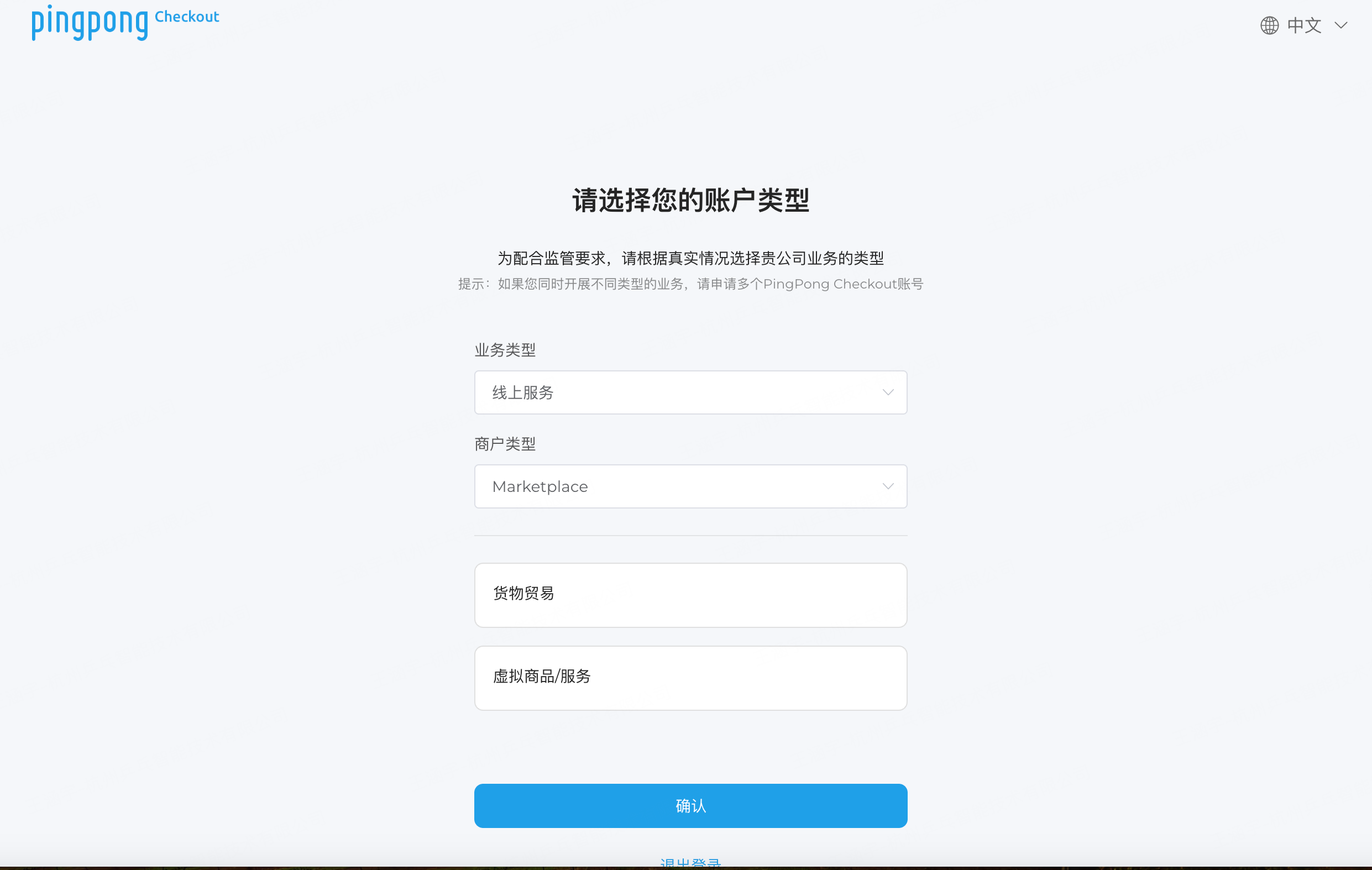
Platform Registration
Note
- Please ensure your email address is valid to receive verification emails.
- Please do not use overly simple passwords to protect your account security.
- After successful registration, you can start using the services provided by the platform.
Real-name Authentication
After creating an account, real-name authentication is required. Please follow the steps below for real-name authentication:
- Log in to the platform's backend management system and enter the real-name authentication page.
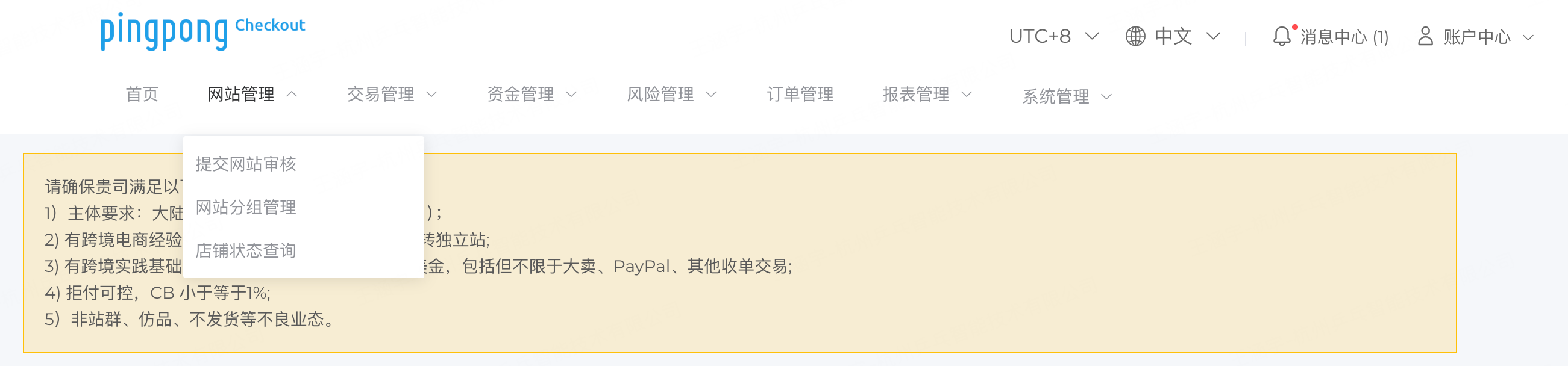 Real-name Authentication-1
 - On the real-name authentication page, fill in the information.
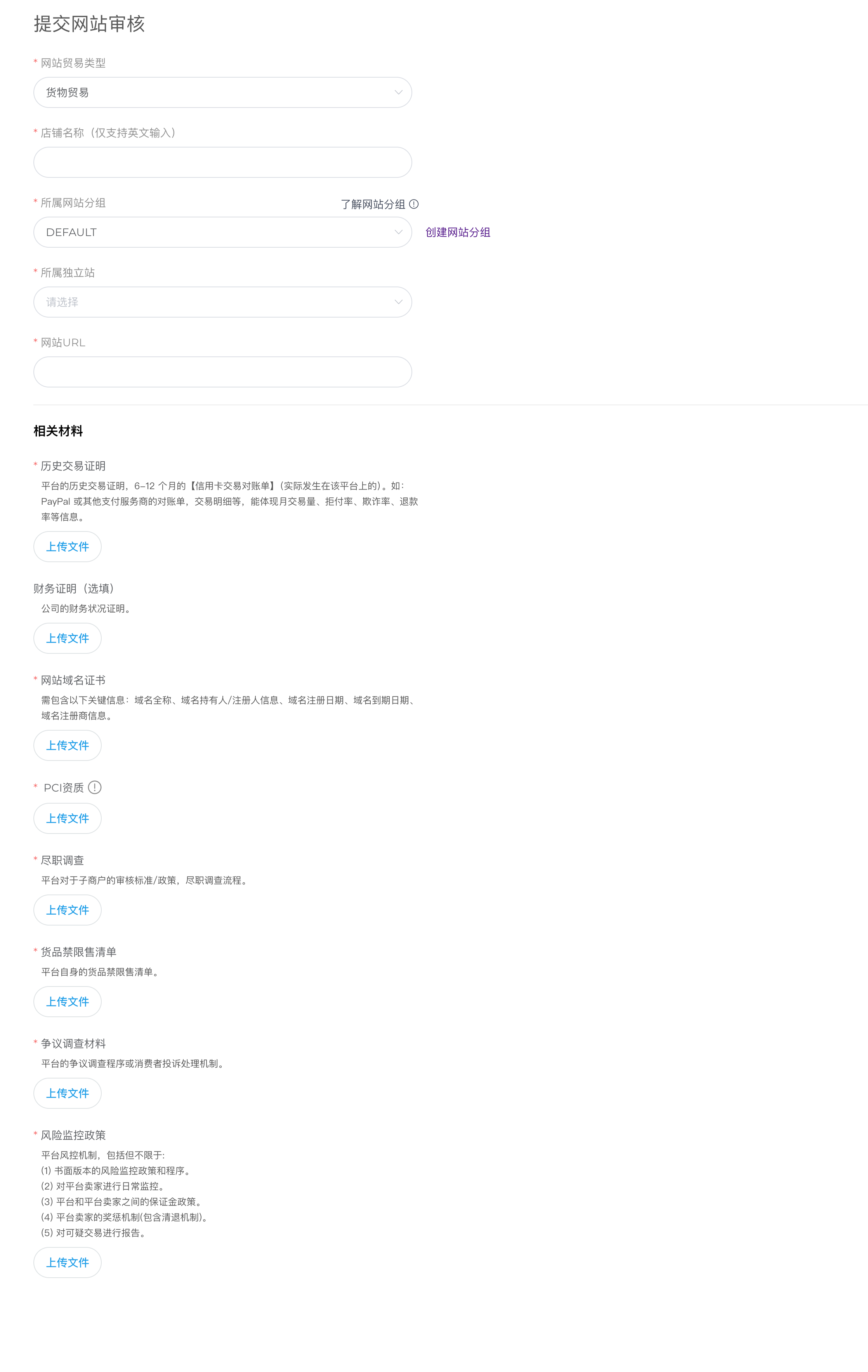 Real-name Authentication-2
Store Registration
After successfully registering on the platform, you need to create a store.
View Store
After successfully creating a store, you can view store information on the store management page.
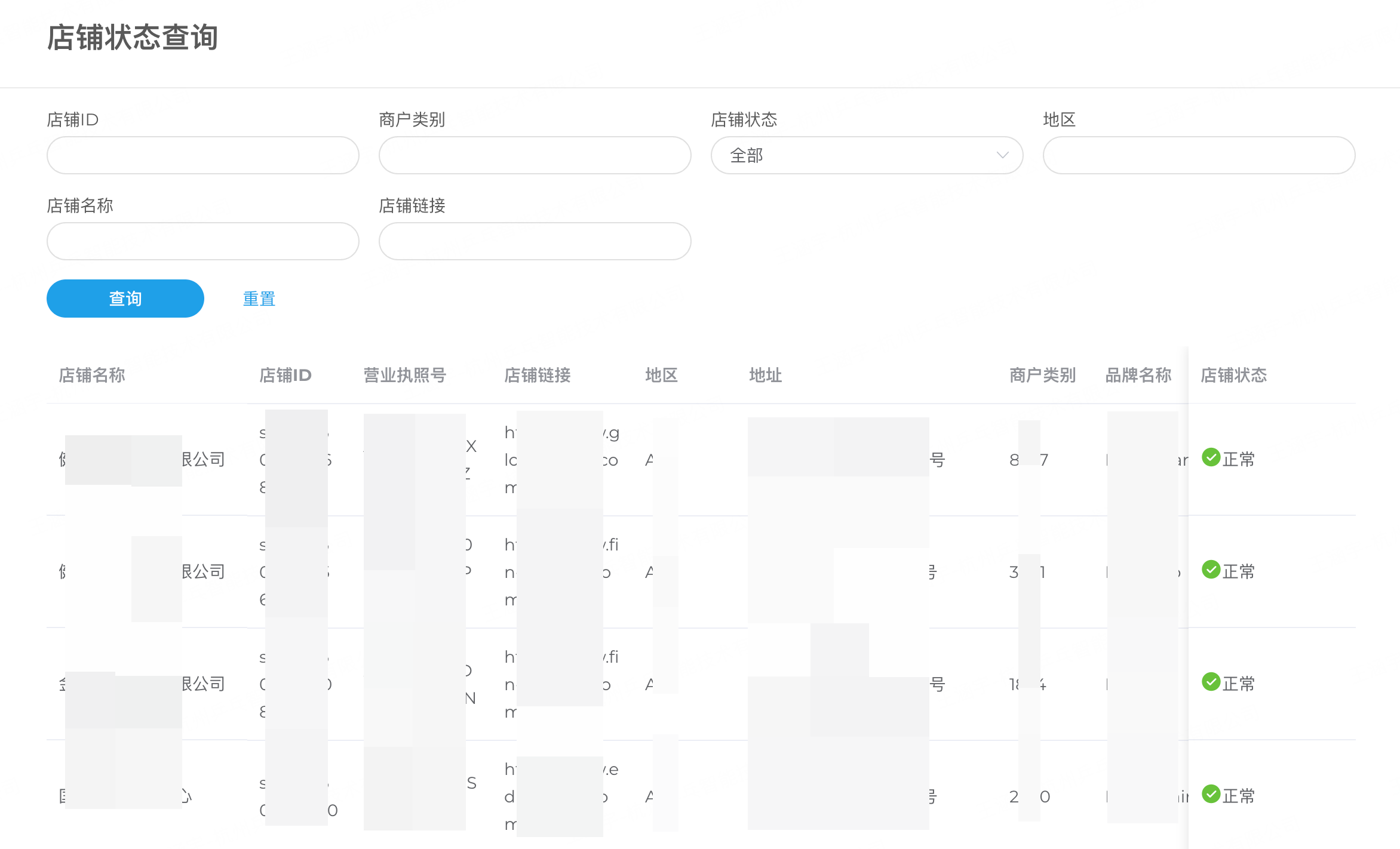
Store Query