
Currency Exchange Guide
Background
PingPongCheckout supports different transaction currencies for different payment methods. When the displayed transaction currency differs from the actual transaction currency, we need to perform a currency exchange operation.
Terminology
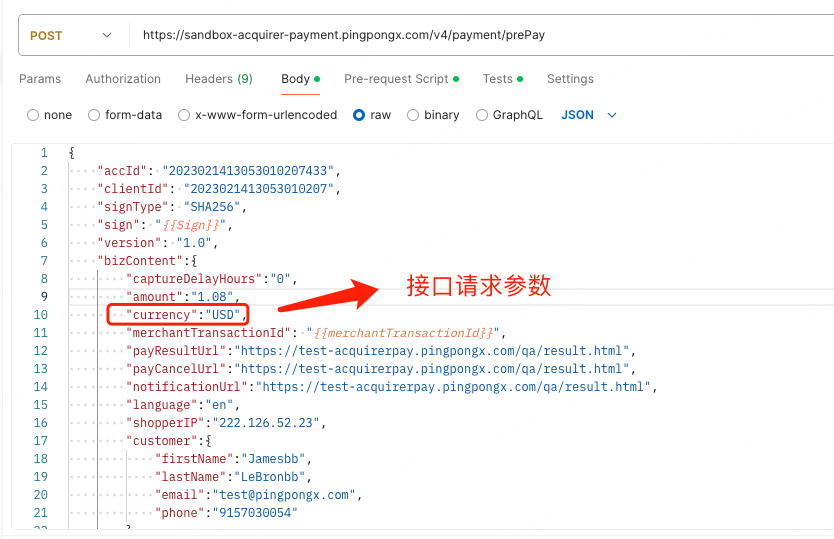
- Display amount, currency: The transaction currency requested in the order interface, as shown in the "Currency Exchange Request Parameters" image
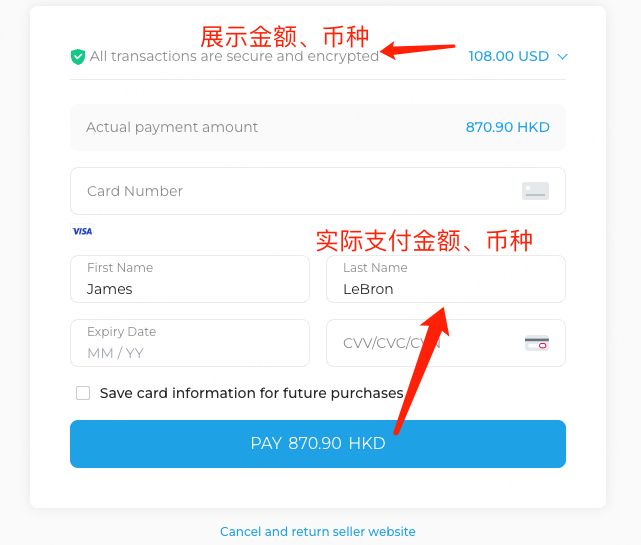
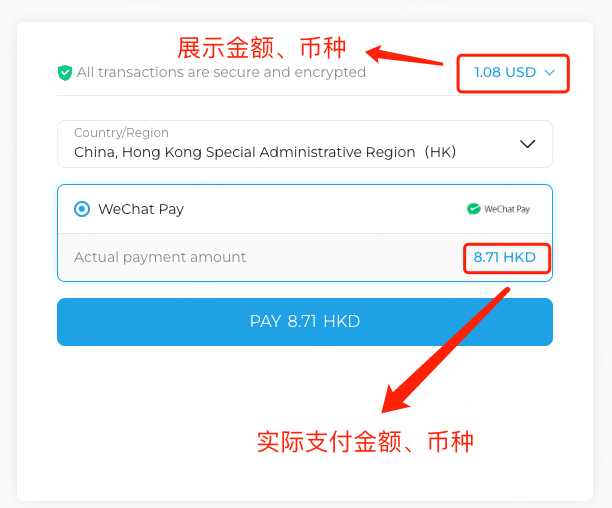
- Actual amount, currency: The transaction currency actually supported by PingPongCheckout under the current payment method, which is the amount and currency the user actually needs to pay
Currency Exchange Request Parameter Example
For example, the pricing currency displayed on the merchant website is USD, but the user's actual payment currency is HKD. The interface parameters are as shown in the image.
Credit Card Display Example
APM Display Example
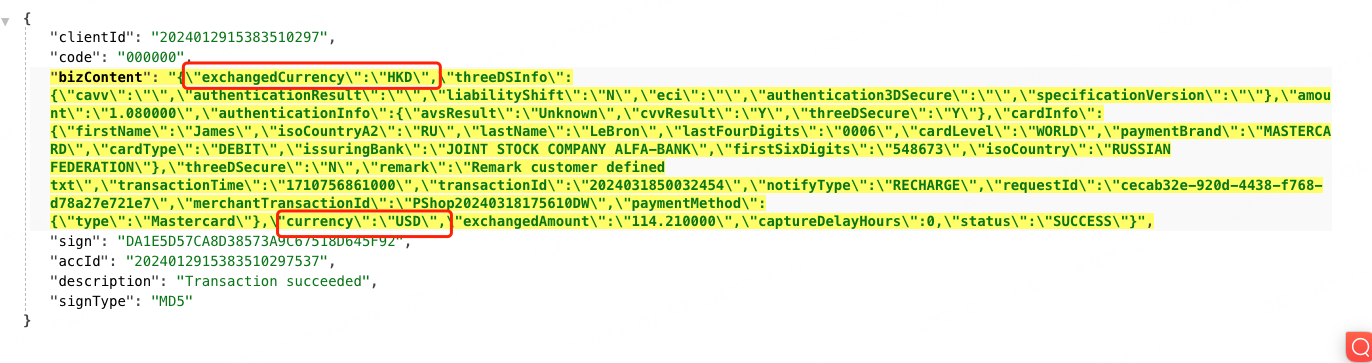
Asynchronous Return Example
As shown in the asynchronous notification image, the currency parameter represents the display amount and currency, while the exchangedCurrency parameter represents the currency after exchange. For more details, please visit Asynchronous Notification API.
Note
It should be noted that if payment is not completed for a long time, there may be situations where the displayed amount differs from the actual payment amount due to exchange rate fluctuations. We currently provide the following currency exchange pairs. If business requirements need to configure exchange rules beyond the list, please consult technical support staff.